Features
Everything a whiteboard needs.
Nothing that gets in the way.
Endless canvas
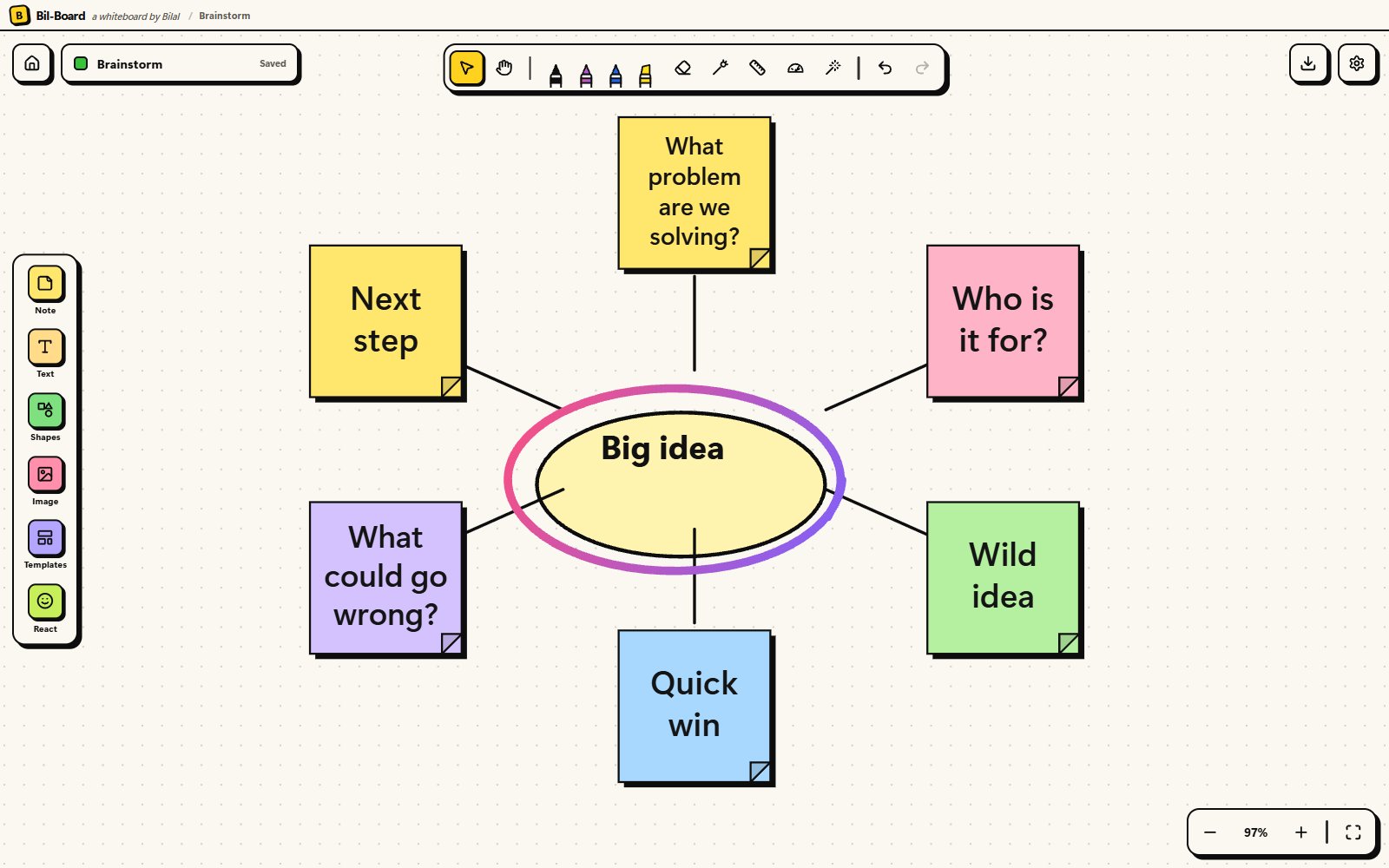
Pan and zoom without limits. One shortcut fits the whole board back on screen.
Pens that feel right
Three pens, a highlighter and an eraser that removes whole strokes or just part of a line.
Notes, shapes, text
Sticky notes, shapes, images and text. Ink to shape turns rough drawings into clean geometry.
Templates
Start from a brainstorm or a kanban board instead of a blank page.
Touch and pen
Draw with a finger, pinch to zoom, two-finger tap to undo. Resting a palm is ignored.
Saves itself
Boards save automatically on your PC and export to a .bilb file whenever you want a backup.
Specs
Built for Windows.
Mac release planned soon.
- Platform
- Windows, macOS planned
- Architecture
- 64-bit and 32-bit
- Version
- 1.1, Early Access
- Storage
- Local, saved automatically
- File format
- .bilb board files
- Input
- Mouse, pen and touch
- Shortcuts
- Keyboard for every tool
- Updates
- Install over, boards kept
Credits
The people behind BilBoard.
- Design & development
- Bilal Ehmad
- QA testing
- Rahaf Basim
Founder, CEO & Director, Bilal Ehmad Industries
Tested BilBoard in its earliest builds, finding the bugs before anyone else could.
FAQ
Questions, answered.
Which platforms does BilBoard run on?
BilBoard runs on Windows, with 64-bit and 32-bit builds. A macOS release is planned and coming soon.
Is there a Mac version?
Not yet, but it's planned. A macOS release is coming soon. Follow @notbilalehmad to hear the moment it ships.
Do I need an account?
No. There's no sign-up and no login. Install it and start drawing.
Where are my boards saved?
On your own PC. Boards save automatically as you work and are never uploaded to our servers.
How do I back up or move a board?
Use Export, then Save board file. This creates a .bilb file you can keep as a backup or open on another computer with Open a .bilb board file.
Will updating BilBoard delete my boards?
No. New versions install over the old one and keep your existing boards. We still recommend exporting anything important before you update.
Does it work with touchscreens and pens?
Yes. Draw with a finger or pen, pinch with two fingers to zoom and move, and tap with two fingers to undo. A palm resting on the screen while you use a pen is ignored.
How do I report a bug or suggest a feature?
Send it to our only official account, @notbilalehmad on Instagram. Anyone else offering BilBoard or claiming to represent it is not us.
Public release soon.
BilBoard is in early access on Windows today, with a macOS release planned. Follow along to be first in line when the public builds ship.